Pattern 03 · One document
Any filed document, analysed in AIOL, from the case file
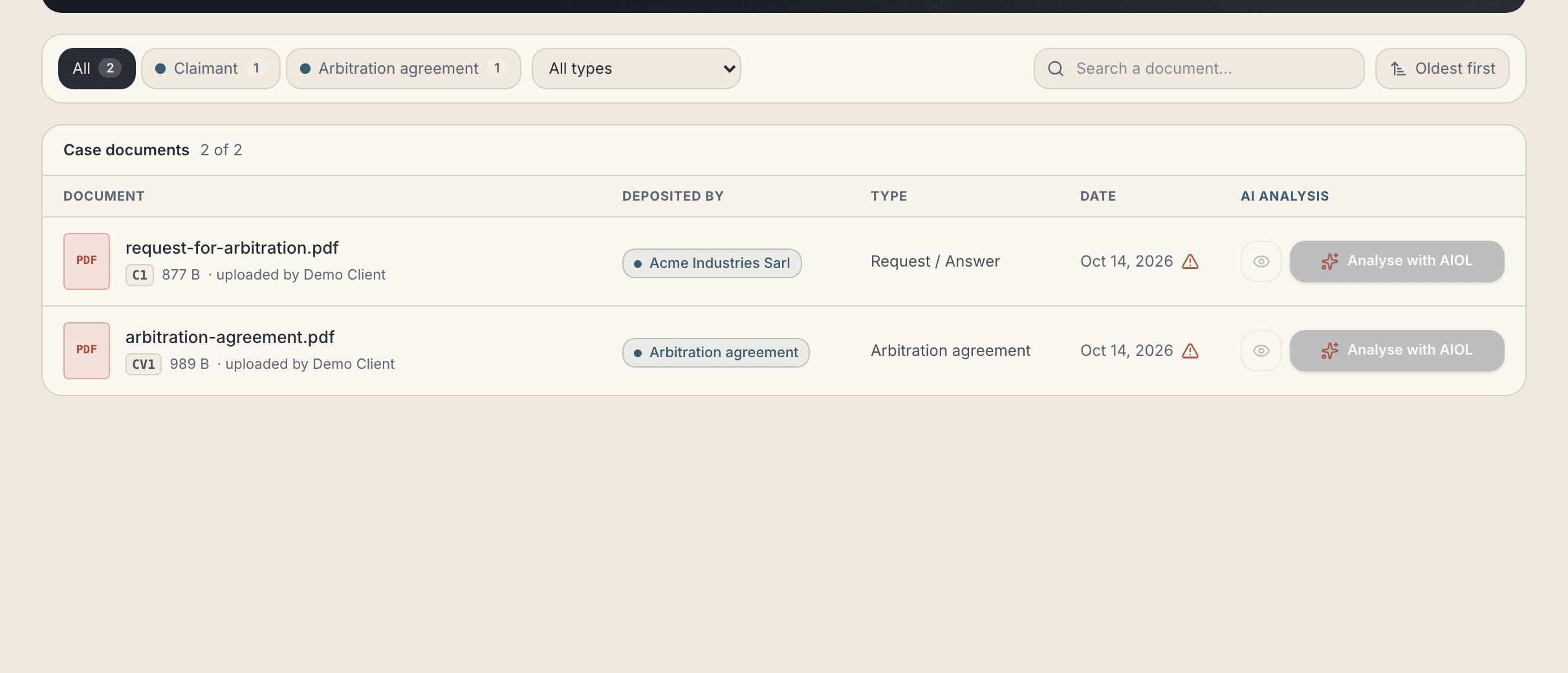
The same door as the party hand-off, aimed at a single file: the entry token names the document, and AIOL opens its clause-by-clause analysis on it.
01What you see
/litige/304/analyse — AI Document Analysis · Agent 2 · LDD · AIOL
02How it is used
- Open “AI Document Analysis” in the case tools.
- Find the document — filter by side or type, or search by name.
- Press “Analyse with AIOL” on its row and confirm the same hand-off notice.
- AIOL opens on that documentand runs the L.O.V.E. analysis — legality, opposability, validity, enforceability — from one party's point of view.
The action is offered only when it can succeed, and says why when it cannot:
- “Not analysable” — the file is not a readable PDF or DOCX.
- “AIOL does not know this document yet” — it was never announced, or its event is still in flight.
- Nothing at all — the viewer has no seat in AIOL (the Secretariat, the arbitration court).
03Technically
the document claim, added to the entry token
{
  "dispute_id": "LIT-304",
  "role":       "claimant",
  "landing": {
    "kind":            "document.analyse",
    "adr_document_id": "doc-4231"
  }
}
The refusals are codes, not sentences — document_unknown, document_not_synced, document_not_available— so the interface can say it in the reader's own language.
- The binding is checked here. The document must belong to that case, be filed and transferred, and be one AIOL was told about — the token is not taken at its word on the other side.
- Greyed from the same source. The screen asks the outbox which documents AIOL holds, so the button and the answer can never disagree.
- Nothing is enumerable. An unknown id, a tombstoned document, an identity paper, a foreign case and an object missing from storage are the same 404.
- A sync problem never hides the file. If the outbox cannot answer, the inventory still renders — with the action off.