Pattern 02 · People
A party crosses to AIOL without a second password
The same person, the same case, another platform — and no account to create, no credential to share, no session to copy.
01What you see
/litige/304 — Open in AIOL
The button sits on the case header and appears only for someone who can actually arrive: a seated participant — claimant, respondent, counsel, arbitrator — on a case AIOL already holds.
- The Secretariat does not see it. It has no seat in AIOL, so the door is not drawn.
- Neither does a case that is not synced, closed or paused: the action greys out and says which.
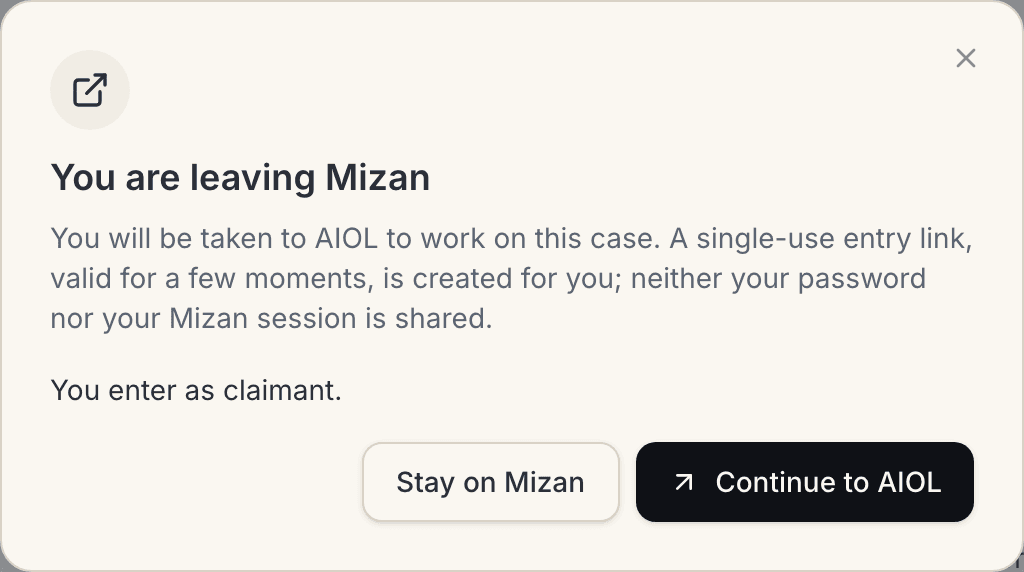
- You are told you are leaving before anything is minted, and you can decline.
02How it is used
- Open the case in ADR, as you normally would.
- Press “Open in AIOL” on the case header — or, from the document screen, on one file.
- Confirm. The dialog states what happens and the role you enter with.
- You land in AIOL, signed in, on that dispute. “Return to ADR” brings you back to the page you left.
03Technically
- Authorized three times. Session + CSRF like any mutation, then the same role-scoped case query as the rest of the API, then an active seat and an active sync cursor. No seat → 403; not synced → 409; neither carries a token.
- Signed, not shared. EdDSA over a key pair whose private half never leaves the ADR host; AIOL holds only the public key.
- Single use. A random
jtiAIOL burns on arrival, and an expiry clamped to 120 seconds. - The return path cannot leave ADR.
return_tois accepted only as a path of that same case — no scheme, host, userinfo or traversal — before being made absolute on ADR's own frontend. - Relayed, not trusted. The BFF forwards the URL only when it is an absolute
httpsURL ending in/api/v1/adr/entry: a misbehaving upstream cannot turn this into an open redirect. - Audited. The log line carries user, dispute, role and
jti— never the token, on either side.