Feature 06 · Arbitration templates
The centre’s seven models, filled from the sync
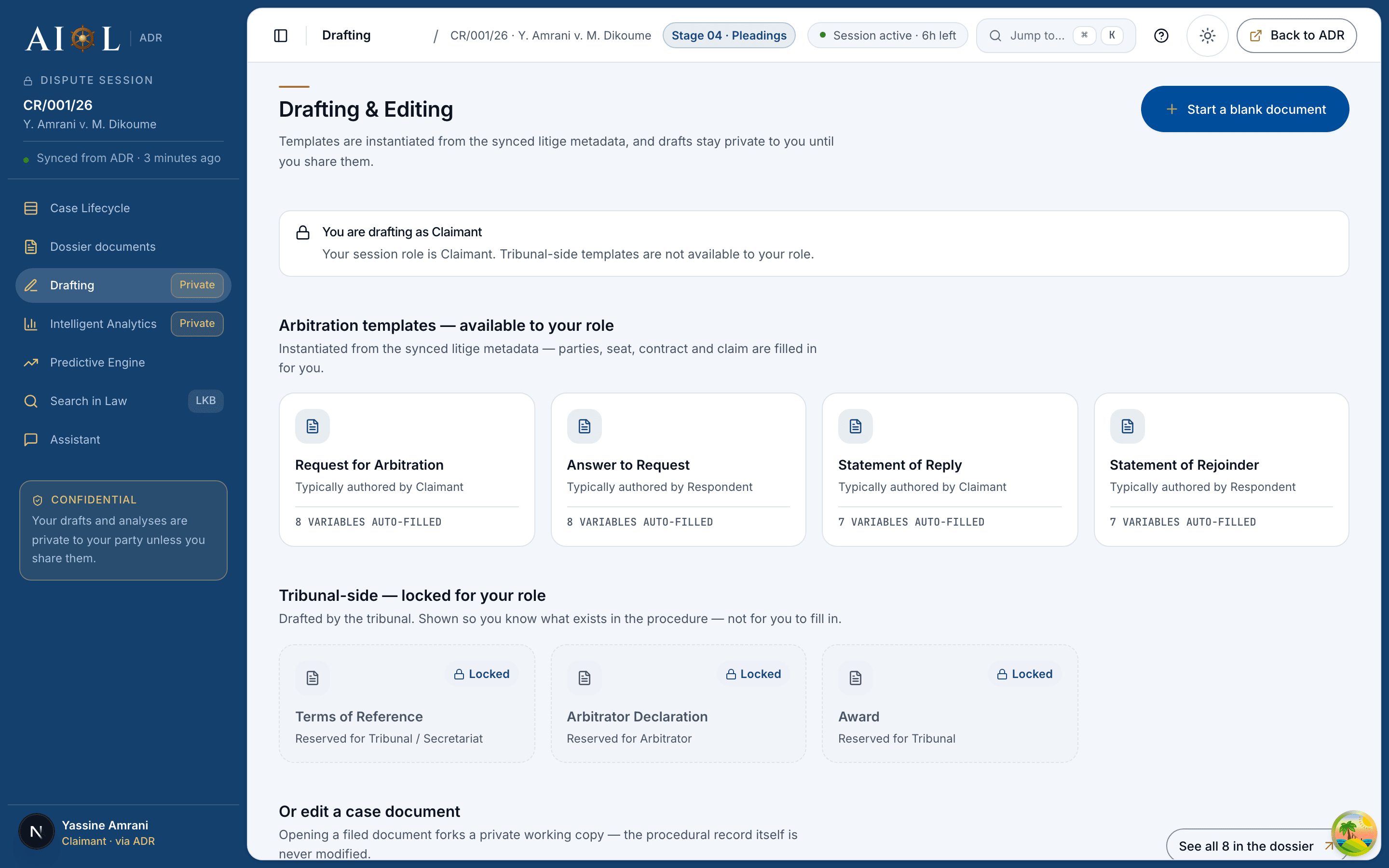
Not generic templates: the files the centre drafted, turned into editor text with their drafting notes kept as guidance and the dispute’s facts filled where a bracket allows. A fact AIOL does not hold stays a bracket. The tribunal’s models are locked to the arbitrator, and the lock is enforced, not just drawn.
01What you see
aiol · /case/drafting — Arbitration templates · available to your role
02How it is used
- Pick a model — the gallery shows how many of this dispute's facts it can fill.
- Open your copy — institution, case number, parties, contract, amount already in place; brackets left where a fact is missing.
- Draft on — it is now a private draft like any other, with versions and export.
- Parties and counsel: request, answer, reply, rejoinder.
- The arbitrator: terms of reference, declaration, award.
- One copy per model — a second click reopens it.
03Technically
- DOCX to editor at instantiation.
adr/templates.pyturns the centre's files into editor HTML: headings, lists, drafting notes as guidance, brackets filled from the sync — institution, case number, parties, seat and date, contract, amount. - Nothing invented. A bracket AIOL cannot fill stays a bracket;
variablesCountis the number of facts this dispute can actually fill. - Gating in two places. The gallery renders the lock; instantiation enforces it with a 403.
| Fact | Filled from |
|---|---|
| institution · case number | dispute.created |
| parties | the synced party list |
| seat · date | the dispute metadata — empty seat stays “[Place], [date]” |
| contract · amount | contract_ref · claim |
04The explainer · play, pause, step, full screen
Scene 1 of 4
The centre's seven models
Not generic templates: the DOCX files the centre itself drafted, turned into editor text at instantiation — headings, lists, and the drafting notes kept as guidance.
0:00 / 0:19